

 Builtair IEQ Monitors not only provide data for the BMS but can also be used to support the BMS in other ways, as discussed below.
Multiparameter data for thermal comfort control
Although other monitors can provide temperature, humidity and CO2 at a single point, the BuiltAir IEQ Monitor measures all of the critical thermal comfort parameters: ambient and radiant temperature, humidity (RH, dewpoint temperature and water vapour pressure) and even local airspeed for drafts. Plus the BuiltAir Cloud calculates the Heat index (HI), WBGT, PET and Equivalent Temperature: the thermal comfort indices requested by many BMS for controlling thermal comfort. Accurate temperature and humidity measurements allow for fine tuning of the ambient conditions, saving energy while ensuring comfort. Also, recent studies have shown that careful regulation of humidity and particles results in reduced pathogen concentrations.


Characterising zones
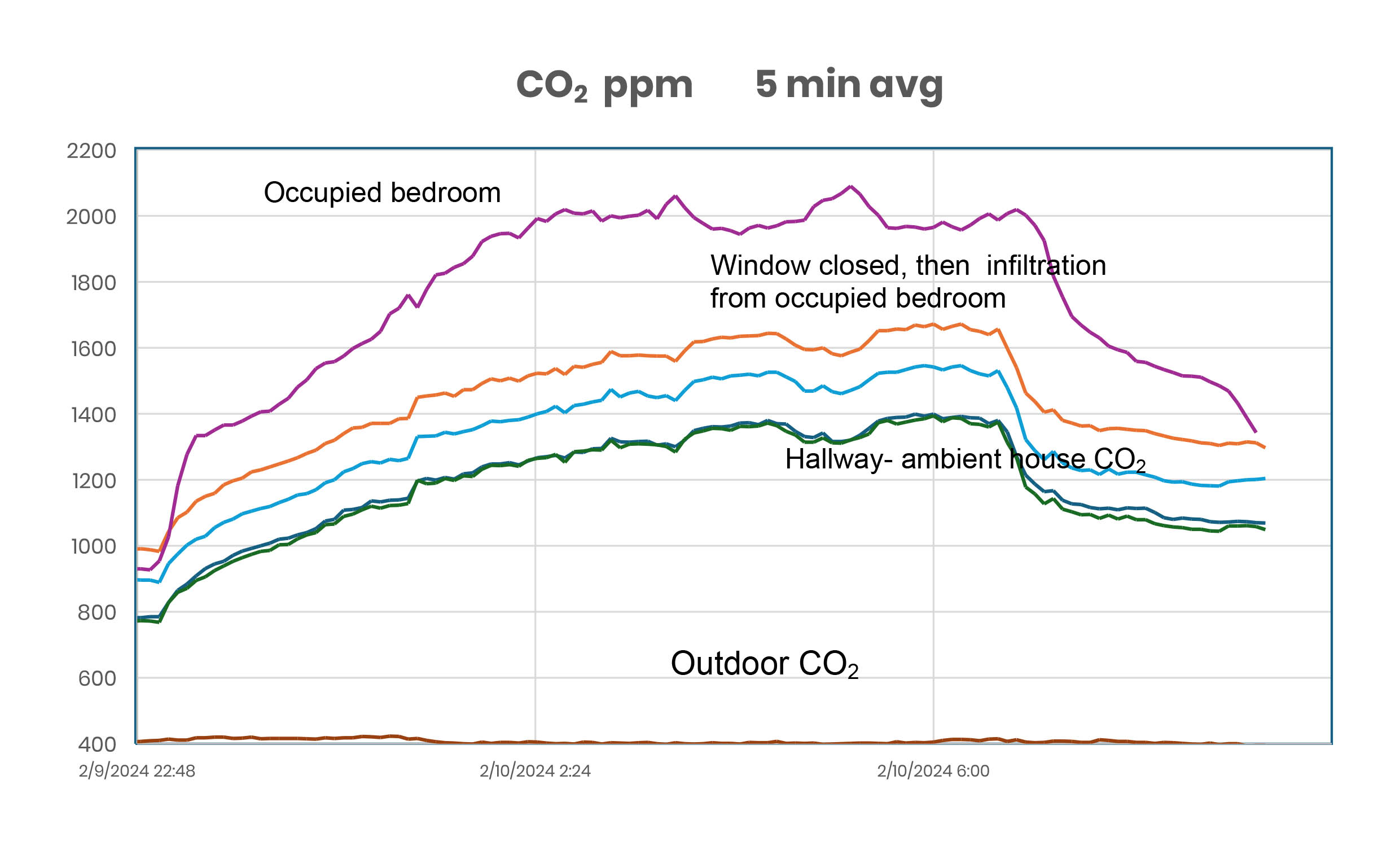
BuiltAir IEQ Monitors are ideal for understanding each zone. If your BMS can count occupants then steady state CO2 measurements will tell you the Air Change Rate (ACR or ACH). If you cannot count occupants then the patented FastLog© feature captures every relevant transient and the preferred CO2 tracer gas decay method ( ASTM D 6245) can provide a continual ACR calculation throughout the day-unique to BuiltAir. But not all buildings are only mechanically ventilated- hybrid and natural ventilated buildings get much of their outside air through windows and outside doors, and internal infiltration between rooms can provide up to 20%-40% of the fresh air to a zone. 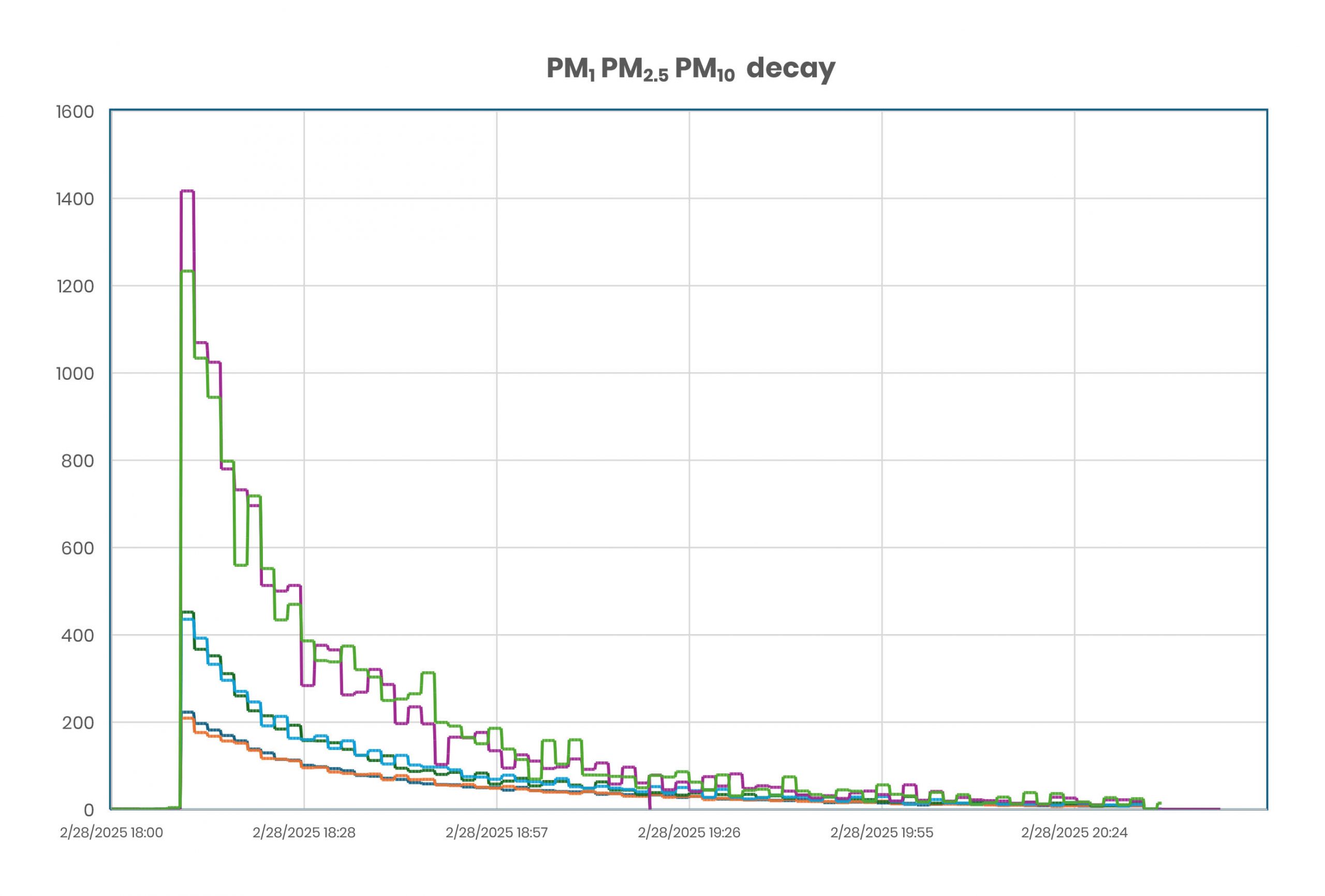 The unique 2-axis airflow sensors are ideal for measuring window airflow and airflow direction, as well as interzonal airflow. Another BuiltAir first. With the IEQ Monitors you can understand both natural and mechanical airflow patterns in every zone.
Optimising HVAC efficiency and energy usage with best air quality
HVAC systems strive to provide the best thermal comfort, lowest energy use and best air quality by heating or cooling, and diluting and filtering the ambient air. These three goals conflict and compromises must be made, but that can only be achieved by starting with good data.
The IEQ Monitor not only provides excellent data quality for a wide range of measurements, but it also can operate either as a stand-alone monitor or as a wireless Thread network, providing continual real time information to the BMS. Many parameters can work together to provide synergistically more information: airspeed, CO2 and pressure measurements work together to provide detailed airflow information; decay rates from CO2, VOCs, PM and NO2 all provide different information on air age and materials’ emissions. Some examples of good use of IEQ Monitor information include:
- If CO₂ concentration rises or rate of change is too fast, BMS increases outside air intake;
- If PM2.5 rises, BMS increases filter flow rate or restricts outdoor air intake.
- If VOC levels spike, BMS signals a purge cycle or activates exhaust systems.
 Support in a crisis and solving problems
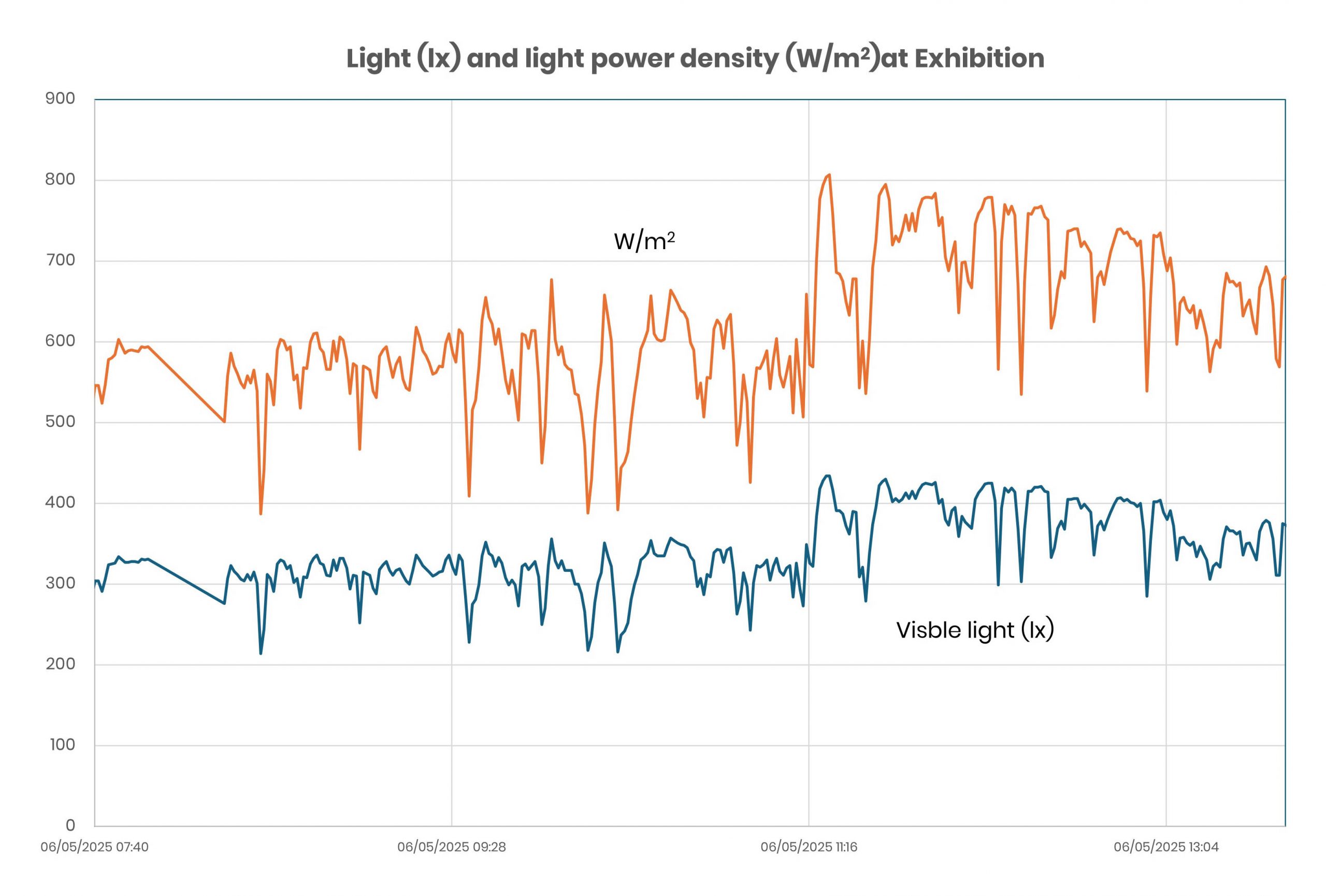
What to do when the BMS goes wrong or the occupants are complaining? Providing so many measurements and able to be set up as a network, the BuiltAir IEQ Monitors can be quickly deployed, collecting data in a few minutes from the first sign of trouble. When configured as a session, ten or even more IEQ Monitors can be placed in critical locations, all synchronised within two seconds of each other to ensure you see a true snapshot of the entire area at each recorded time. You can also locate them strategically in many places in one zone or adjoining zones to triangulate contaminant sources.
Building bake-out
New buildings and new builds need to bake out before being occupied- an expensive process. The VOC sensor in each IEQ Monitor will track VOC decay and of course temperature is logged as well The Monitor also automatically records the reduction of PM2.5 from residual construction materials and NO2 which is emitted and reacts with VOCs. When the Monitors are set up as a network, you can save time and money by turning down the temperature in each zone as soon as the VOC and PM levels are safe.
Backup alarm
BuiltAir IEQ Monitors include both high and low alarms for every sensor channel, the alarm levels are set in the BuiltAir Cloud. Use the Alarm feature as a backup to your current alarm system in critical zones or use them as warning alarms at levels lower than your BMS alarm levels. The Monitors will track all parameters before and after the alarm threshold is reached, helping you understand why. Alarms can be set for noise, CO2, NO2, PM1, PM2.5 or PM10, pressure, temperature, humidity and even airflow- you can set as many alarm channels as needed. Some examples include pollutant concentrations exceeding threshold; PM breakthrough at MERV 16 filter; CO₂ ventilation demand exceeding system capacity.
 BMS sensor validation
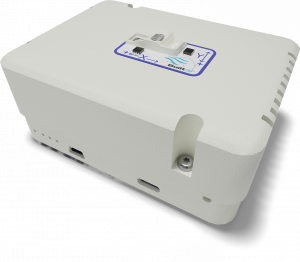
BuiltAir IEQ Monitors use only best-of-class sensors, giving excellent accuracy and precision for lowest uncertainty. When a BMS sensor’s performance is dubious, simply co-locate an IEQ monitor nearby and record both the problem sensor and the IEQ Monitor- the Monitor can be programmed with the same averaging and start periods so they will both be time synchronised. After a few hours/ a few days of data, compare the results to lead you to the right decision.
IEQ Monitors can also be used as part of your ongoing QA/QC program of continual validation of the BMS performance. Use the IEQ Monitor as a transfer standard, co-locating in each zone, and record for one day or one week. As a network, you can validate several zones simultaneously, saving time and labour. Since it is small and light and has excellent battery life, the Monitor is easy to deploy close to your BMS sensors. Your data will be recorded and vaulted in the BuiltAir Cloud for any required audits with printouts of all calibrations for every sensor for full traceability. But these Monitors are not Primary or Equivalent Standards and must be regularly calibrated if they are used as transfer standards.